ApexFactory ERP
One system, from the quotation to the credit note
Quotations, bills of materials, jobs, purchase orders, stock, packages, invoices and costs in one system. Built for manufacturers who make to order, to stock, or both.
Why one system
A manufacturer's information usually lives in four places. Quotes in one tool, bills of materials in another, stock on a spreadsheet, invoices in the accounts package. Each copy drifts from the others, and somebody spends Friday afternoon reconciling them.
The ApexFactory ERP keeps all of it in one system. A part, a customer or an order is the same thing to every department. The system plans from demand: orders, jobs that need sub-assemblies and stock below its minimum all arrive on the pending screens with their source and due date, and one click makes the job or the purchase order line. From there it follows the work through the shop floor, the stores and the dispatch bay to the invoice.
The path of an order
The same order, seen from each desk it crosses.
- 01
Quote
A quotation is drafted, sent and accepted, then converted into orders line by line.
- 02
Define
Parts, bills of materials and routings say what is needed and how it is made.
- 03
Make
Demand becomes jobs and works orders, run through operations on the shop floor.
- 04
Buy
What has to be bought is ordered from the right supplier and received against the order.
- 05
Store
Materials and finished goods sit in bins and batches that say what they are for.
- 06
Dispatch
Orders are packed, sent and proved delivered, with export paperwork where it is needed.
- 07
Invoice
Invoices, credit notes and standard costs come from the same records.
The eight areas
Each has a page of its own: what it does, what it holds and how it looks.
- 01
Sales and customers
Customers and prospects, quotations, orders, the sales-item catalogue and returns, in one record that follows the customer's order all the way to dispatch.
- 02
Parts, bills of materials and routings
Parts and how each is supplied, bills of materials, routings and the operations they are built from, with schedules that work back from the due date.
- 03
Production and the shop floor
Jobs and works orders planned from real demand, operations run at workstations, with timing, materials and quality issues tracked as the work is done.
- 04
Purchasing and goods in
Suppliers and the parts they sell, purchase orders raised from real demand, goods receipts against orders or straight onto a job, and subcontracting.
- 05
Stock, bins and warehouses
Warehouses, areas and bins, batches with ownership and purpose, forecasting by part, book in, relocate and stock counts.
- 06
Packing and dispatch
Packages, dispatches and the carriers you use, with export paperwork and proof of delivery kept with each dispatch.
- 07
Finance and costing
Invoices, pro-formas and credit notes, purchase bills, and standard costs rolled up from bills of materials and saved as snapshots.
- 08
Users, permissions and history
Users and roles, a history of every change, editable document templates, custom fields, global search and to-do lists.
Sales
Screens for people who use them all day
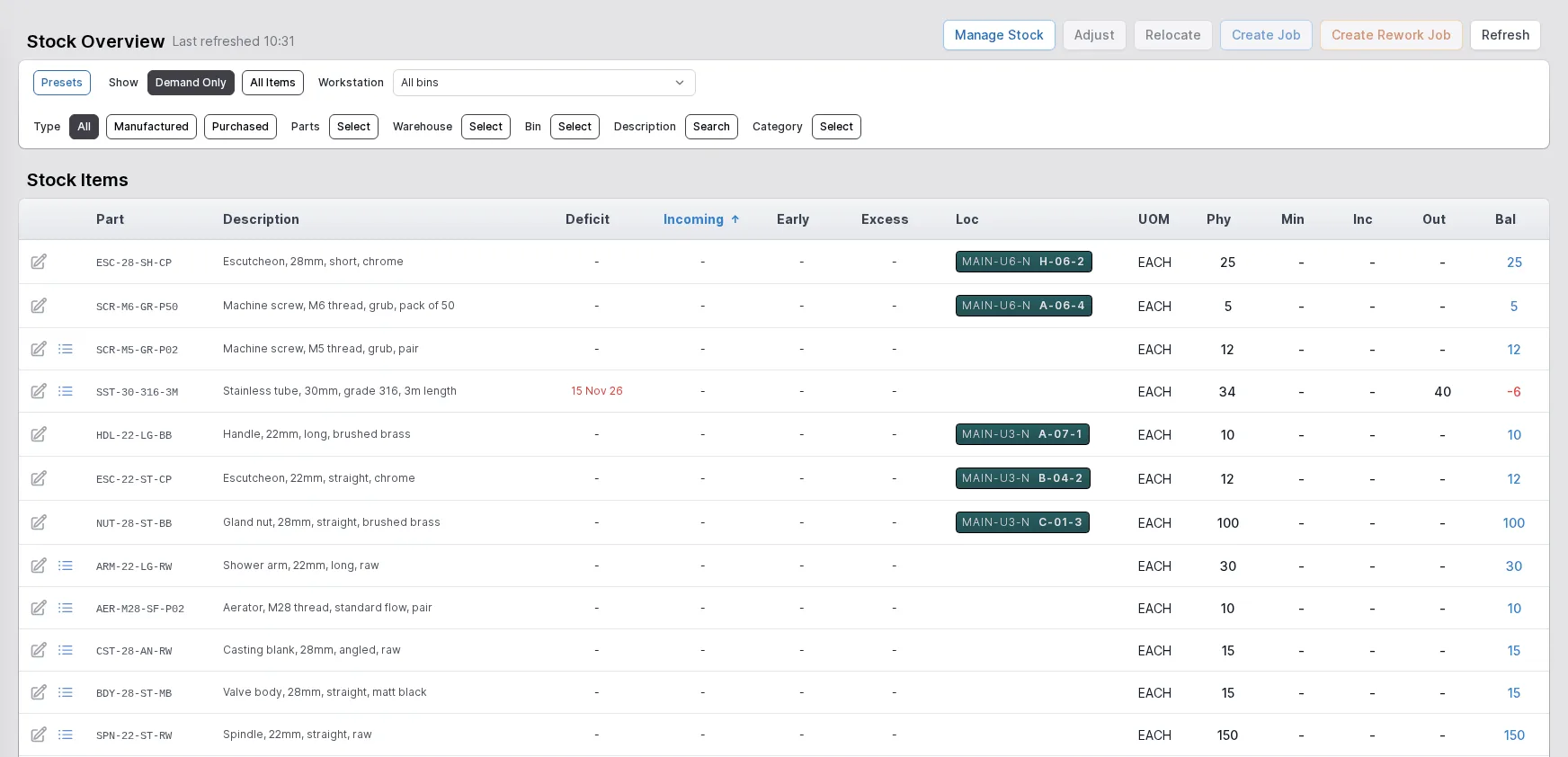
Where a list can be filtered, the filters sit on one side and the table on the other. A record opens as a page, with its actions as buttons in the corner and its lines underneath.
The same shape runs from the quotation desk to the stores. Someone who knows one screen can find their way around the rest.
- Filters beside the table on every main list
- Actions as buttons on the record
- Search from anywhere with Ctrl+K
Stock
See the shortfall before the shop floor does
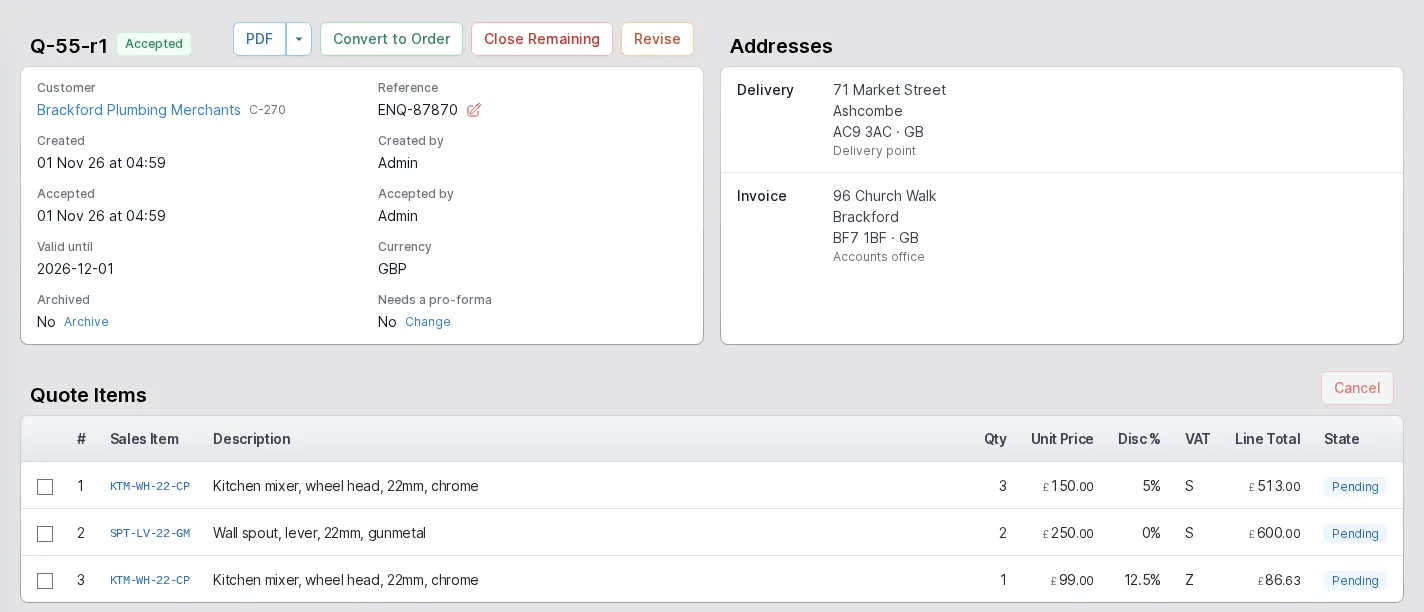
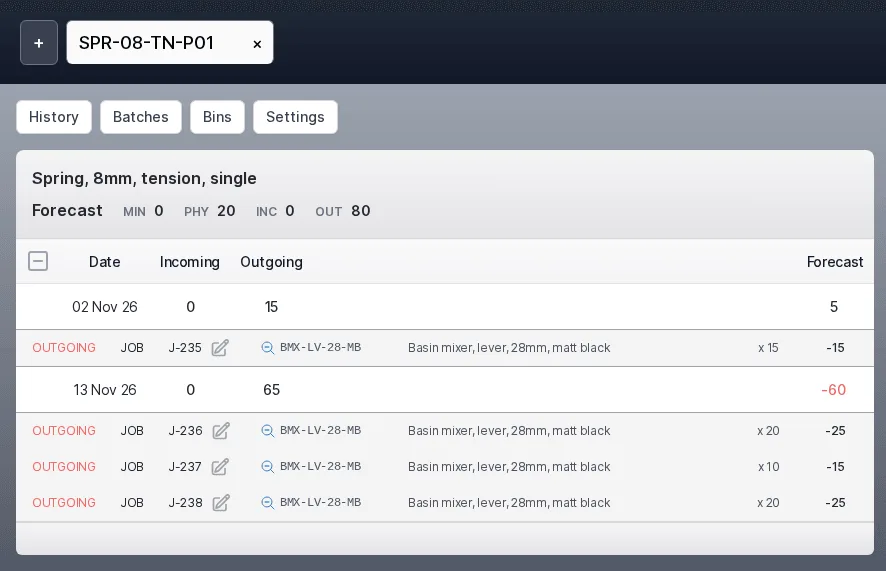
Open Manage Stock on any part and its Forecast tile lays out the part's future one date at a time: what is arriving, what is leaving and the balance left, in red where it falls below the minimum.
Each line names the job, order or purchase it comes from, so a shortfall points at the work that needs the part.
- Jobs, order lines and subcontract work count as demand
- Works orders and purchase lines count as supply
- The same calculation drives the stock overview and the dashboard flags
The shop floor
Kit it, run it, book it in
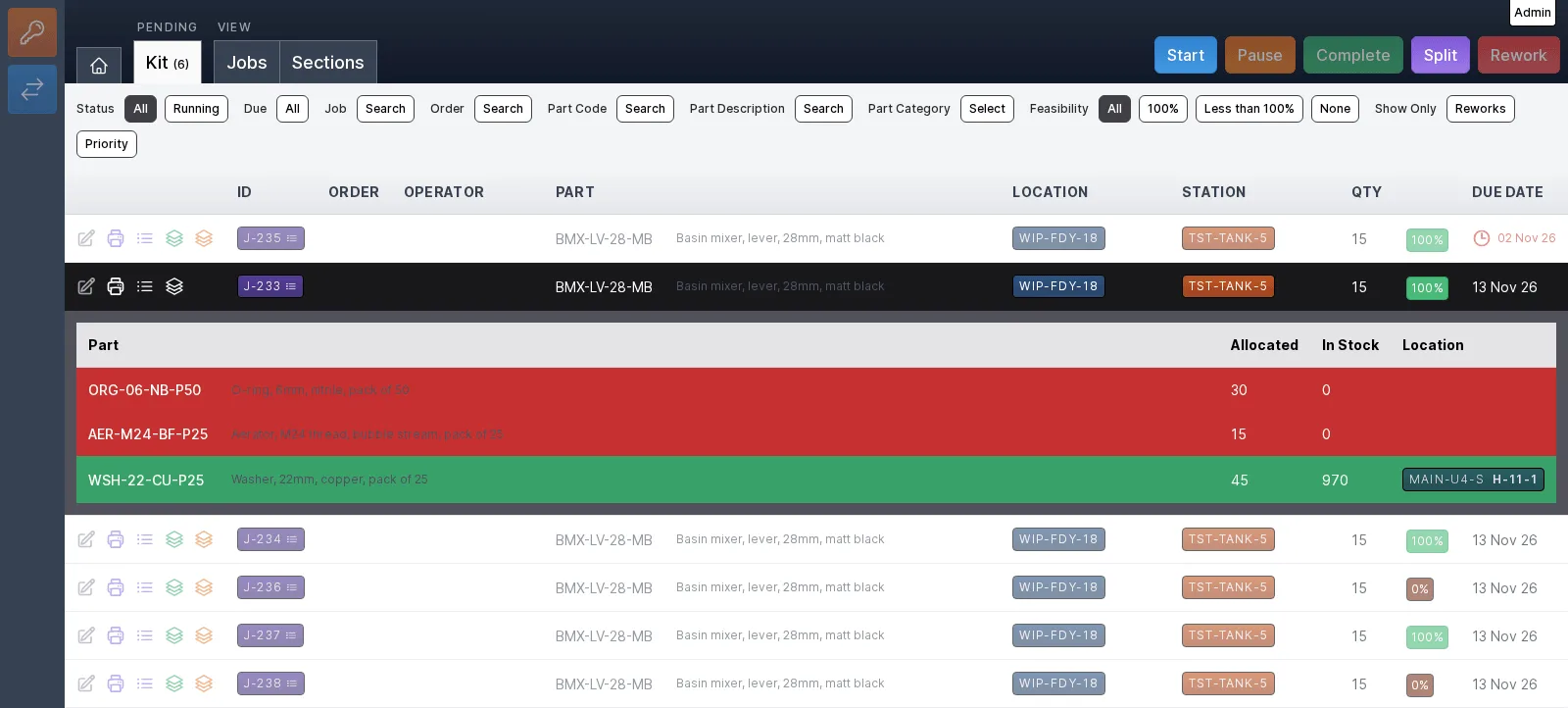
Production does not stop at the planning screens. Every workstation has tabs for the work its station can do: orders, kit, operations, book in and stock counts, with the jobs and sections views alongside.
Select a row and the buttons across the top light up for it. On the Kit tab, opening a kit shows the materials it needs: how much is allocated, how much is in stock and where it sits.
- A feasibility figure on every kit, with filters for all, part and none
- Late work marked in red beside its due date
- Operators, roles and workstation health set up from the production area
Engineering
Change every bill that uses a part, in one pass
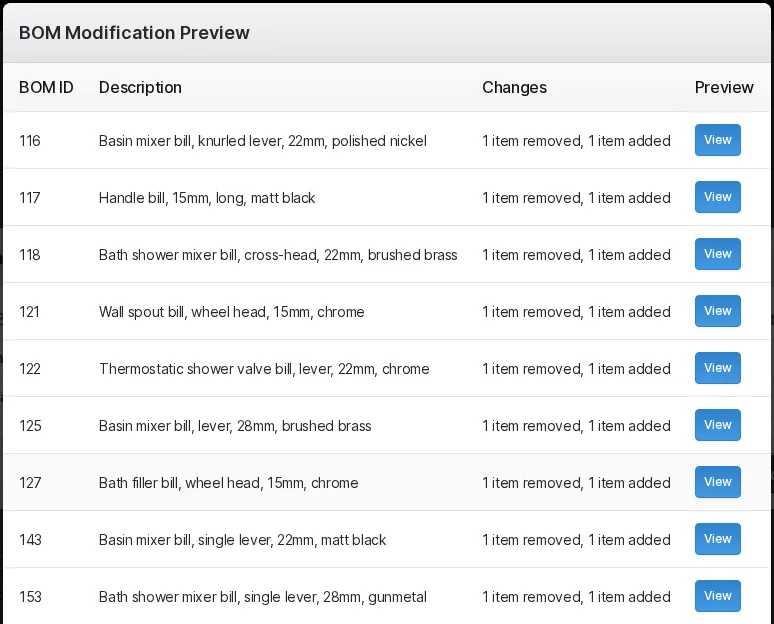
When a part changes, the BOM Manager changes every bill of materials that uses it. Choose the bills with target rules, say what to do to them, and read a before-and-after preview of each bill before anything happens.
Nothing is overwritten. Each bill the rules change is superseded by a new one, and the reason you give is kept with it.
- Add, remove, change the quantity of, or replace parts across many bills
- A live count of the bills a set of rules matches
- A preview of every affected bill before you confirm
What every area shares
Every change is recorded
Changes are attributed to a user and recorded as events by the service that made them. Entities are soft-deleted, never destroyed.
Permissions before action
A role is a named set of permissions. Every action is checked against the person's roles before anything changes.
Configured, not coded
Custom attributes extend parts, sales items, jobs and more. Document templates can be edited, duplicated and made the default.
See it on your own product
Tell us what you make and how you make it. We will show you the ERP with your kind of parts, jobs and orders in it.